
Dictation that stays on your Mac.
Sæga (Saega) turns your voice into text in any app. Hold a key and talk, and on a Mac with a notch you see the words as you speak. Free and unlimited, with no account.
Sæga is a Mac app. Send the link over and it is there when you sit down.
Hold fn and speakorpress ⌥ Space, speak, press againThe text lands where your cursor is.
Your audio never leaves your MacSee your words while you speakPro is $29 once, not a subscription
macOS 14 or later · Apple silicon (M1 and later)
How it works
Hold a key. Speak. The text is there.
Sæga sits in the menu bar and works wherever you can type: an email, a Slack message, a document, a code editor.
- 1
Put the cursor anywhere
Any app, any text field.
- 2
Hold fn and talk
Or press ⌥ Space to start and again to stop. You pick the one you like when you set it up. A single key works too, like an F-key or Right Option.
- 3
Let go
What you said is pasted where the cursor is, with punctuation.
- Your clipboard stays yours. What you copied before is still there after a dictation.
- Passwords stay yours. What you dictate into a password field is pasted as said, and never shown, sent or saved.
- Voice commands in English. Say “new line” or “bullet list” while you dictate, or “remind me to call Anna tomorrow at 9” on its own, and Sæga does it instead of typing it.
- A dictionary for your names. Teach Sæga the names and terms you use once, and they come out right from then on.
- Modes that write like you. Describe in one sentence how it should sound in Slack or in your emails, and Sæga writes it that way. Custom modes use AI in the cloud, and one is free.
Live text
See your words while you speak.
On a Mac with a notch, the words appear in the notch as you talk, so you know Sæga heard you before you let go. In English that is Parakeet Ultra, the model for English and nine more European languages.

A real screen recording of the notch while Sæga transcribes an English sentence. Without a notch, a small indicator shows that Sæga is listening.
Custom modes
Modes that write like you.
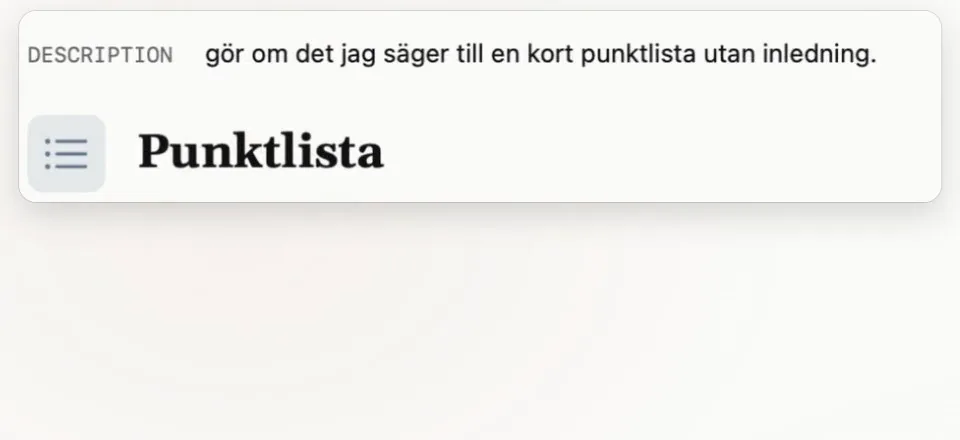
Describe in one sentence how you want it to sound in Slack, in your emails or in Jira. Sæga writes the rest and shows it on your own words. One custom mode is free.
- 1Describe it in a sentence
- 2See it on your own words
- 3Pick the apps
Or start from a ready-made mode
- Chat replies e.g. Teams, Slack
- Customer email
- Jira bug
- Meeting notes
- LinkedIn post
- Commit message
- Free
- One custom mode
- Pro
- A mode for every app
Custom modes use AI in the cloud. Audio stays on your Mac.
Statistics
See what your voice saves you.
Home and Activity show the time you save, week by week, and the days you dictated. It's counted on your Mac and never leaves it.

Private by design
Your audio never leaves your Mac.
Recording and speech recognition happen on your Mac, every time, and work offline. There is no account, and the app sends no analytics.
- AI cleanup is optional. If you use it, only the text is sent, never the audio. On macOS 26 with Apple Intelligence, cleanup can run on your Mac instead (beta).
- Local Mode. Turn it on and nothing leaves your Mac at all. Your dictation is pasted as you said it.
- No tracking in the app. Crash reports are opt-in and never contain your text.
I built Sæga because I wanted to dictate in my own language without sending my voice away.
Fredrik Carlsson · developer, SwedenPricing
Free on your Mac. Pro when the AI writes for you.
Everything that runs on your Mac is free, with no cap and no time limit. Pro is what goes through the cloud: the AI that rewrites your text for you, 1,000 AI texts a month. After that, cleanup carries on free on your Mac (macOS 26 with Apple Intelligence). You pay for it once.
- Unlimited dictation, fully on your Mac
- Every speech model and the live text
- Dictionary and text shortcuts, no cap
- Voice commands and your own voice actions, no cap
- History, export and auto-mode
- 1 custom mode
- Cleanup on your Mac, free (beta, macOS 26 with Apple Intelligence)
- 40 AI texts a month to try it with
- Custom modes for every app
- 1,000 AI texts a month
- Email, AI Prompt and Rewrite
- Session summaries
- 3 Macs
- Every update to version 1
Cloud features are included for as long as version 1 is supported, at least one year from purchase.
Buy Pro14 days of Pro free · no card · 30-day money back
Why does Pro cost money?
The AI in the cloud costs money for every text. The rest I do in the evenings, and the developer account, signing and servers cost money too. Pro keeps it going, and lets everything that runs on your Mac stay free.
Coming up
- Transcription of audio and video files.
Languages
Write in English and Swedish or Norwegian? Sæga is built for that.
Sæga started as a Swedish dictation app, so each language gets a model built for it. Switch language from the menu bar and the right one listens. Every speech model is free.
- English
- Parakeet Ultra, which also covers nine more European languages.
- Swedish
- Pianissimo, plus a model from the National Library of Sweden for strong dialects.
- Norwegian
- A model from the National Library of Norway.
- English
- Swedish
- Norwegian
- German
- French
- Spanish
- Italian
- Portuguese
- Dutch
- Polish
- Ukrainian
- Russian
Get started
Download Sæga
No account, no setup. Everything that runs on your Mac is free, forever, and the Pro features come along for the first 14 days.
v1.1.0 · macOS 14 or later · Apple silicon (M1 and later) · ~150 MB
Or with Homebrew: brew install --cask saega
The speech model downloads on first launch. In Finder and System Settings the app is called Saega. Intel Macs are not supported.
If Sæga isn't better than what you use today: 30 days, money back, no questions.